Create your account and get ready
Sign up, confirm your email, and add the one detail every connection needs: your WhatsApp number.
Create the account
Browsing Weslet is open to everyone — no account needed. You only need one to post a wish, a parcel or a trip, and to answer someone.
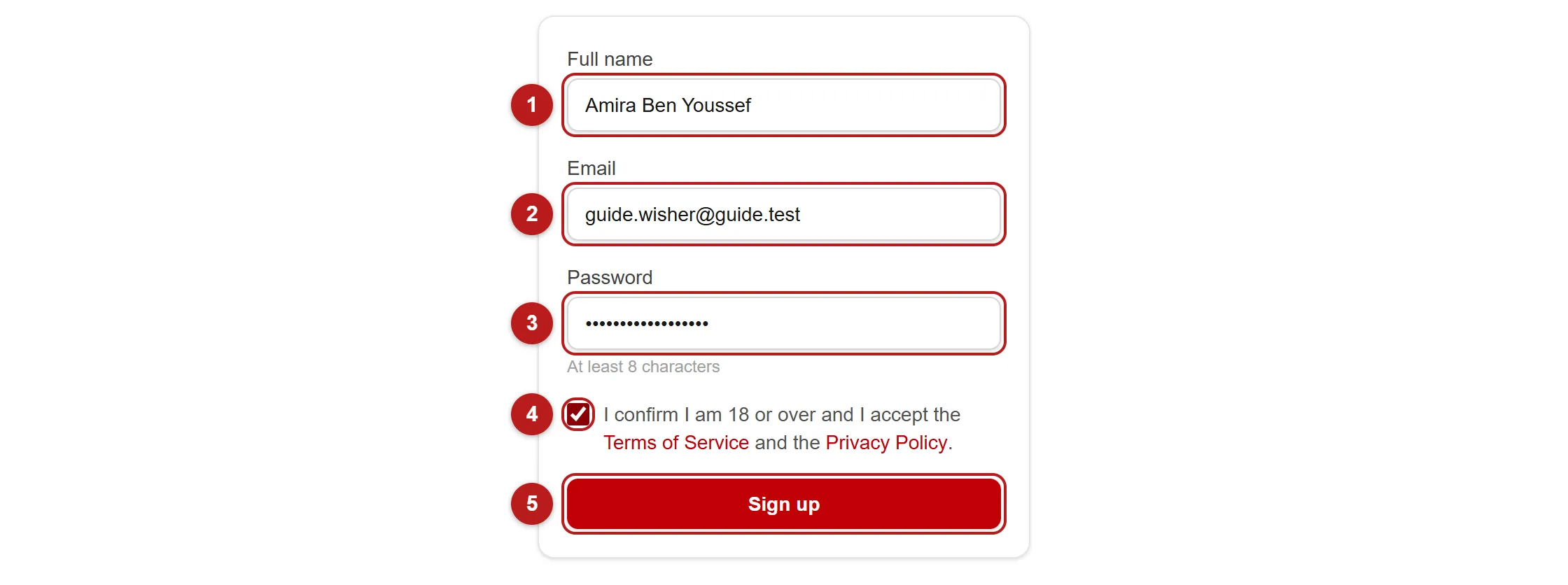
- Enter your full name. It appears on your listings and your public profile, so use the name a stranger would expect to meet.
- Enter an email address you actually read — a 6-digit confirmation code is sent there straight away.
- Choose a password of at least 8 characters.
- Tick the box to confirm you are 18 or over and accept the Terms and Privacy Policy.
- Click "Sign up".
Confirm your email
After signing up, the page asks for a 6-digit code. Open the email we just sent — the code is also in its subject line — and type it on the same page. You are then logged in. The email also has a confirmation button, handy if you opened it on another device. Until your address is confirmed you cannot log in — that single step is what keeps fake accounts off the platform.
Add your WhatsApp number
Weslet has no chat of its own: once two people agree, they talk on WhatsApp. So your number is what gets exchanged — and you cannot send or accept a connection without one.
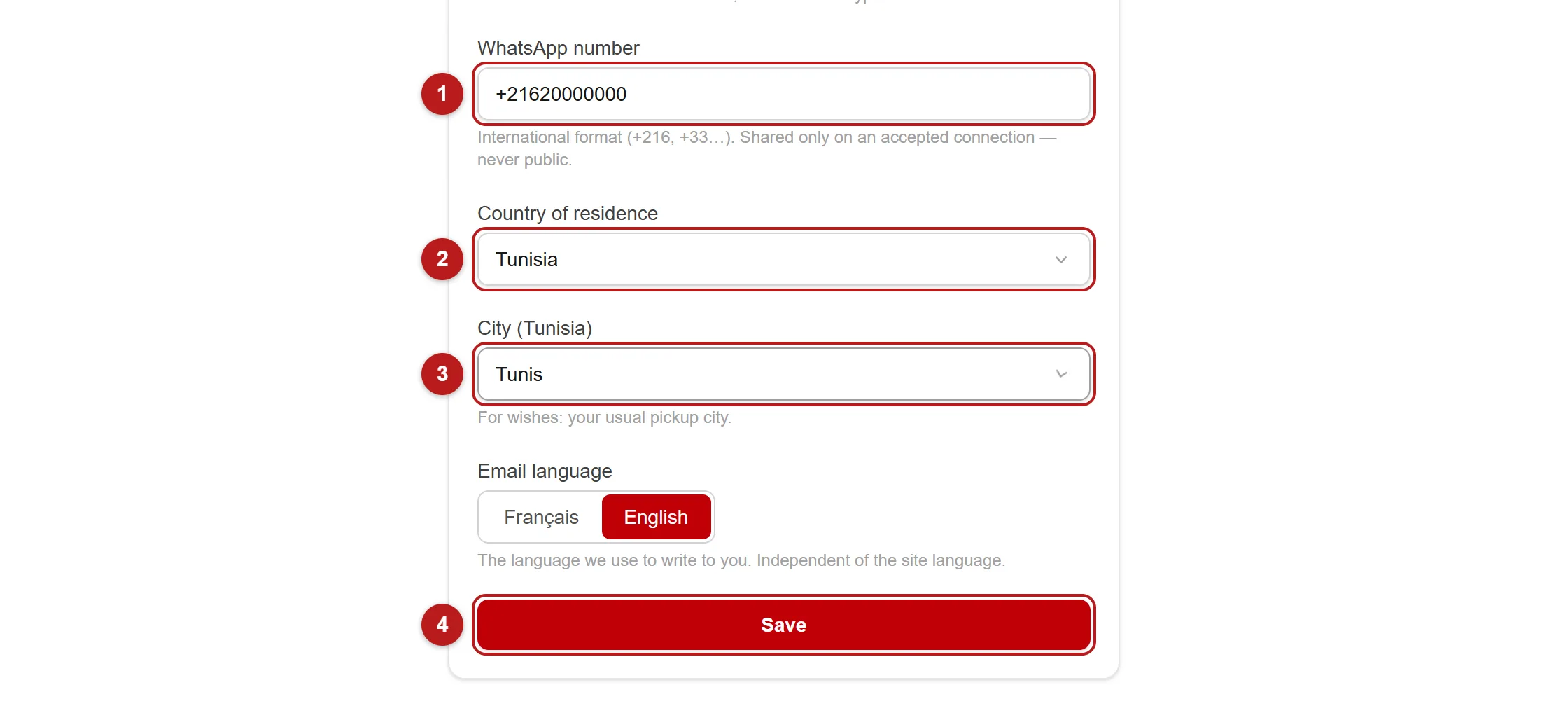
- Open My account from the menu.
- Type your WhatsApp number in international format, starting with the country code (+216, +33, +1…).
- Pick your country of residence, and your usual pickup city if you are in Tunisia.
- Click "Save".
While you are there, add a profile photo and a short bio. They are the first thing a stranger reads before deciding whether to trust you with an item or a suitcase — and they cost nothing.
Still stuck?
If a step does not work the way this guide describes, tell us — that is a bug on our side, not on yours.